iOS App — Version 2.0

GitSync.md

Real Git + a full code editor on your iPhone. Clone, browse, edit, commit & push any repo. Syntax highlighting for 20+ languages, built-in file management, branch control — no terminal required.

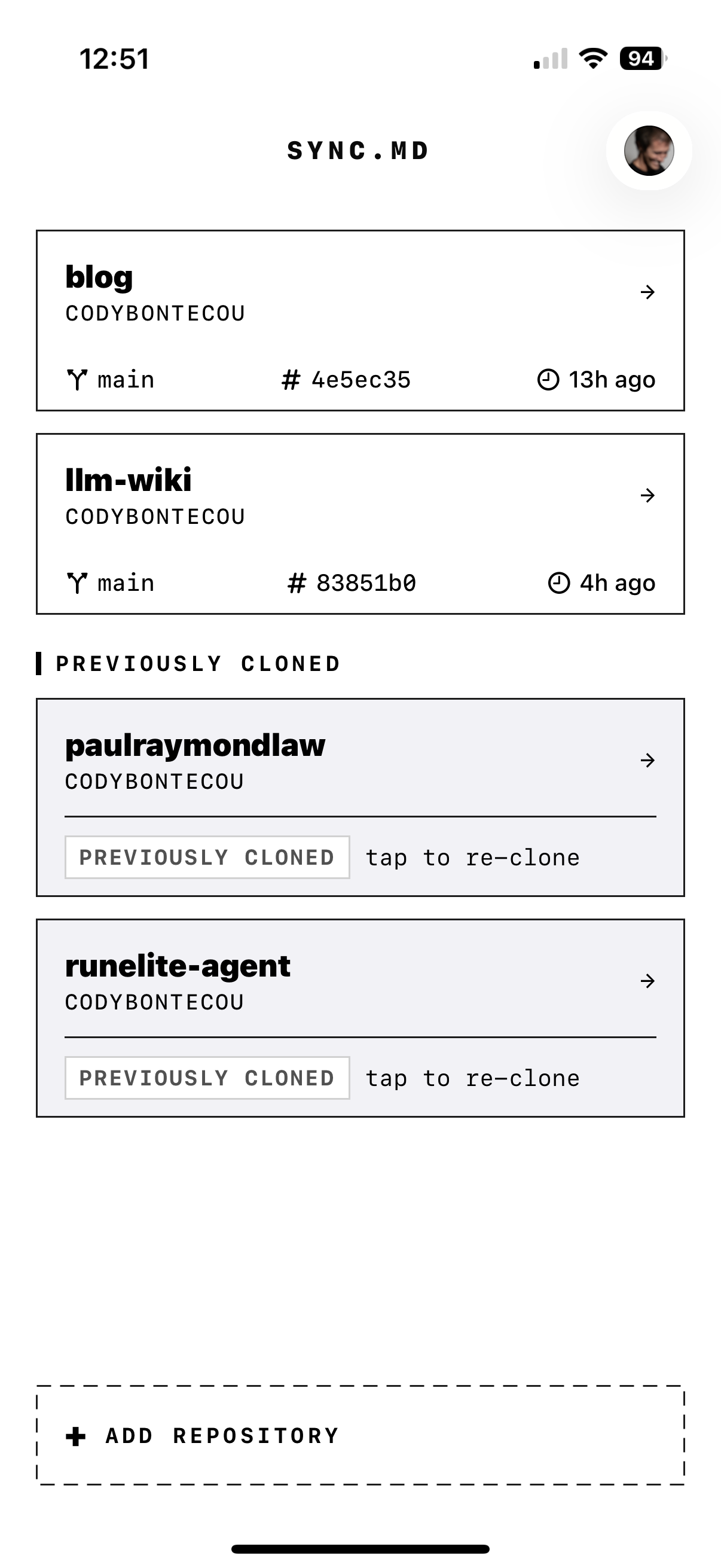
GitSync.md home screen showing cloned repos
libgit2 engine Syntax highlighting — 20+ languages GitHub OAuth Built-in code editor Personal Access Tokens Diff viewer iOS Files integration Conflict resolution Obsidian x-callback-url Branch management Multi-repo management Stash & tags File create / rename / delete Zero cloud dependency libgit2 engine Syntax highlighting — 20+ languages GitHub OAuth Built-in code editor Personal Access Tokens Diff viewer iOS Files integration Conflict resolution Obsidian x-callback-url Branch management Multi-repo management Stash & tags File create / rename / delete Zero cloud dependency

Everything you need.
Nothing you don't.

01
Real Git
Powered by libgit2. Actual .git directories, real commit history, real branches. Any repo, any language — the genuine protocol.
02
GitHub Native
Sign in with OAuth or a Personal Access Token. Browse any repo, clone with one tap. Your account, instant access.
03
Code Editor
A full syntax-highlighted editor built into the app. Swift, Python, JavaScript, Markdown, JSON, YAML and 15+ more — with VSCode-style Dark+ and Light+ themes.
04
File Manager
A hierarchical file browser with git-status badges on every file. Create, rename, and delete files directly inside the app without leaving your workflow.
05
Diff Viewer
Line-by-line unified diffs with color-coded additions and deletions, hunk headers, added/removed counts, and one-tap revert for any changed file.
06
Branch Controls
Create, switch, merge, and delete local branches. Full stash management with messages, and annotated tag support — all from a single Git control sheet.
07
Push & Pull
Full upstream workflow. Pull remote changes, stage individual files, write a commit message, push. Conflict center resolves merge conflicts with ours/theirs/manual strategies.
08
Multi-Repo
Projects, dotfiles, notes, configs — manage them all. Each repo has its own branch, author identity, custom storage location, and sync state.
09
x-callback-url
Obsidian Git plugin calls syncmd://x-callback-url/sync to pull and push without leaving Obsidian. Programmable from any app that speaks URLs.
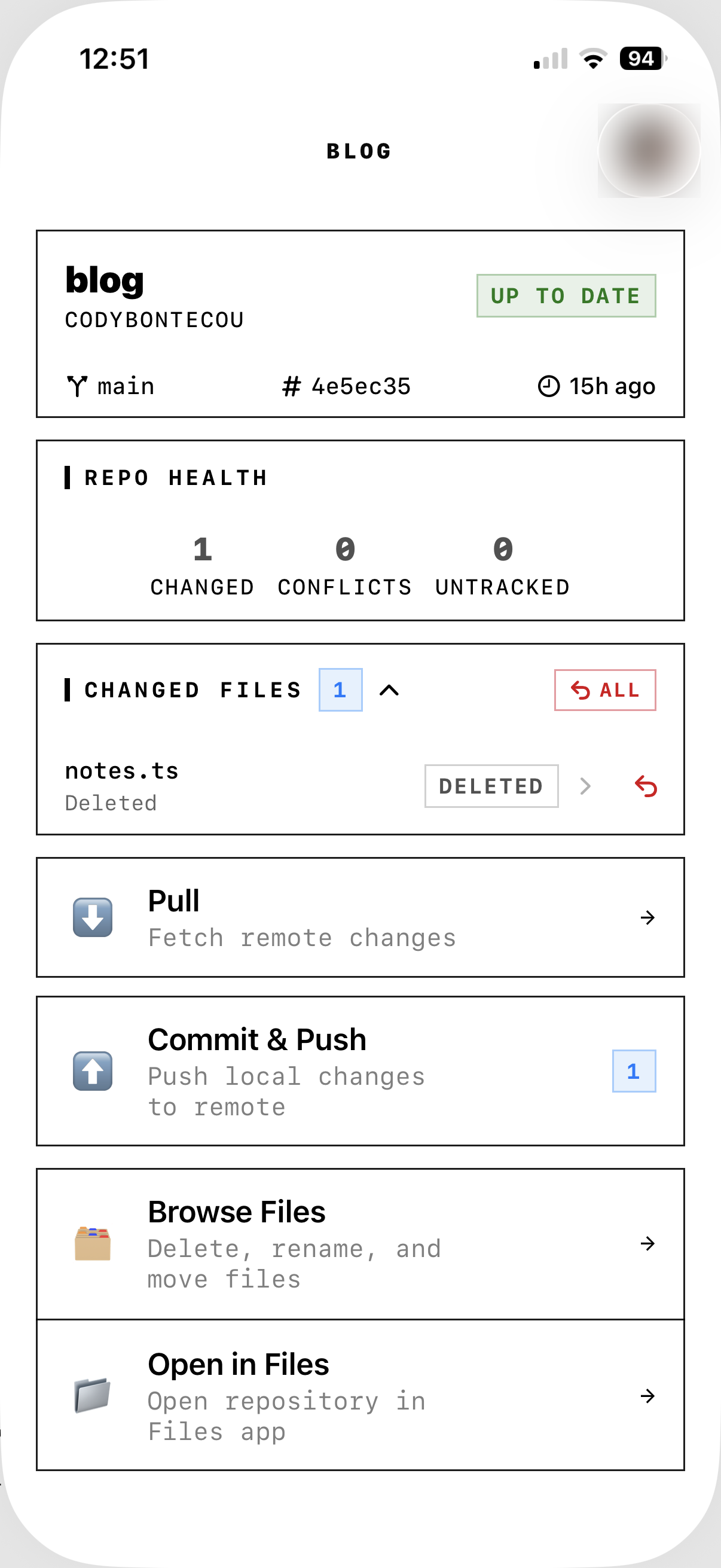
GitSync.md vault view showing repo health, changed files, and sync actions

Clone to push
in five steps.

01

Authenticate

Sign in with GitHub OAuth or paste a Personal Access Token. Keychain-stored, encrypted at rest.

02

Clone

Browse your repos, tap to clone. Any repository downloads to your device with its complete Git history.

03

Browse

Navigate your repository with the built-in file browser. Git-status badges on every file — see exactly what's changed at a glance.

04

Edit

Open any file in the built-in syntax-highlighted editor. Or use the iOS Files provider to open files in your preferred external app.

05

Sync

Pull changes, review diffs, commit your edits, push upstream. Full version control from your pocket.

Works with everything.

x-callback-url
Obsidian
The Obsidian Git plugin calls syncmd://x-callback-url/sync to pull and push without leaving the app. Implementation guide →
Files App
iOS Files
Every cloned repo appears in the iOS file provider. Browse, edit, and manage with any app that reads Files.
Any App
Your Tools
Code editors, markdown apps, text tools — if it can open a file on iOS, it works with your cloned repos.

Implement x-callback-url in minutes.

Quick start URL

Any app can trigger a full pull + push by opening this URL:

syncmd://x-callback-url/sync?repo=MyVault

The repo value must match the vault folder name shown in GitSync.md.

Supported actions

  • /pull — fetch + fast-forward from remote
  • /push — stage all, commit, and push
  • /sync — pull then push (recommended)
  • /status — read branch/SHA/change count

Optional callback parameters

Add these for full x-callback-url flow control:

  • message — commit message for push/sync
  • x-success — URL opened after success
  • x-error — URL opened after failure

Obsidian implementation

In the Obsidian Git community plugin, set your mobile sync URL to:

syncmd://x-callback-url/sync?repo=MyVault&message=Update%20from%20Obsidian

See the complete iOS setup guide →

Under the hood.

Version
2.0
Git Engine
libgit2 (native C, no shell)
Framework
SwiftUI
Code Editor
Built-in, syntax-highlighted
Syntax Languages
20+ (Swift, Python, JS, TS, MD, JSON, YAML…)
Editor Themes
VSCode Dark+ · VSCode Light+
File Operations
Create · Rename · Delete
Git Operations
Stage · Commit · Push · Pull · Branch · Stash · Tag · Revert · Merge
Authentication
GitHub OAuth + PAT
Token Storage
iOS Keychain (encrypted)
File Access
Built-in browser + iOS File Provider
Storage Locations
App Documents · iCloud Drive · OneDrive
Automation
x-callback-url (syncmd://)
Cloud Dependency
None — device to GitHub direct
Data Collection
Name + email (Git author only)
Platforms
iPhone · iPad
Price
Free (1 repo) · Paid unlock for unlimited

Guides & updates.

Edit. Commit.
Push.

A full Git client and code editor — free for one repo, one-time unlock for unlimited. Open source on GitHub.

App Store Source Code